import numpy as np
import matplotlib as mpl
import matplotlib.pyplot as plt
%matplotlib inline
import seaborn as sns
import scipy.stats as st
from sklearn import ensemble, tree, linear_model
import missingno as msnoUnit 2: Exploratory Data Analysis
Unit 2 focused on exploratory data analysis. The importance of exploring, understanding and cleaning the underlying dataset to ensure validity and appropriate interpretation of outputs was highlighted. The notebook below captures examples of practical work undertaken during this unit, covering exploratory analysis of the Auto-mpg dataset. Examples include investigating missing values, examining data types with appropriate conversions, assessing data skewness and kurtosis, and producing correlation heatmaps and scatter plots.
import pandas as pd
auto = pd.read_csv('https://raw.githubusercontent.com/sjackson-DS25/sjackson-DS25.github.io/master/data/auto-mpg.csv')auto.describe()| mpg | cylinders | displacement | weight | acceleration | model year | origin | |
|---|---|---|---|---|---|---|---|
| count | 398.000000 | 398.000000 | 398.000000 | 398.000000 | 398.000000 | 398.000000 | 398.000000 |
| mean | 23.514573 | 5.454774 | 193.425879 | 2970.424623 | 15.568090 | 76.010050 | 1.572864 |
| std | 7.815984 | 1.701004 | 104.269838 | 846.841774 | 2.757689 | 3.697627 | 0.802055 |
| min | 9.000000 | 3.000000 | 68.000000 | 1613.000000 | 8.000000 | 70.000000 | 1.000000 |
| 25% | 17.500000 | 4.000000 | 104.250000 | 2223.750000 | 13.825000 | 73.000000 | 1.000000 |
| 50% | 23.000000 | 4.000000 | 148.500000 | 2803.500000 | 15.500000 | 76.000000 | 1.000000 |
| 75% | 29.000000 | 8.000000 | 262.000000 | 3608.000000 | 17.175000 | 79.000000 | 2.000000 |
| max | 46.600000 | 8.000000 | 455.000000 | 5140.000000 | 24.800000 | 82.000000 | 3.000000 |
auto.head()auto.info()<class 'pandas.DataFrame'>
RangeIndex: 398 entries, 0 to 397
Data columns (total 9 columns):
# Column Non-Null Count Dtype
--- ------ -------------- -----
0 mpg 398 non-null float64
1 cylinders 398 non-null int64
2 displacement 398 non-null float64
3 horsepower 398 non-null str
4 weight 398 non-null int64
5 acceleration 398 non-null float64
6 model year 398 non-null int64
7 origin 398 non-null int64
8 car name 398 non-null str
dtypes: float64(3), int64(4), str(2)
memory usage: 28.1 KBmsno.matrix(auto)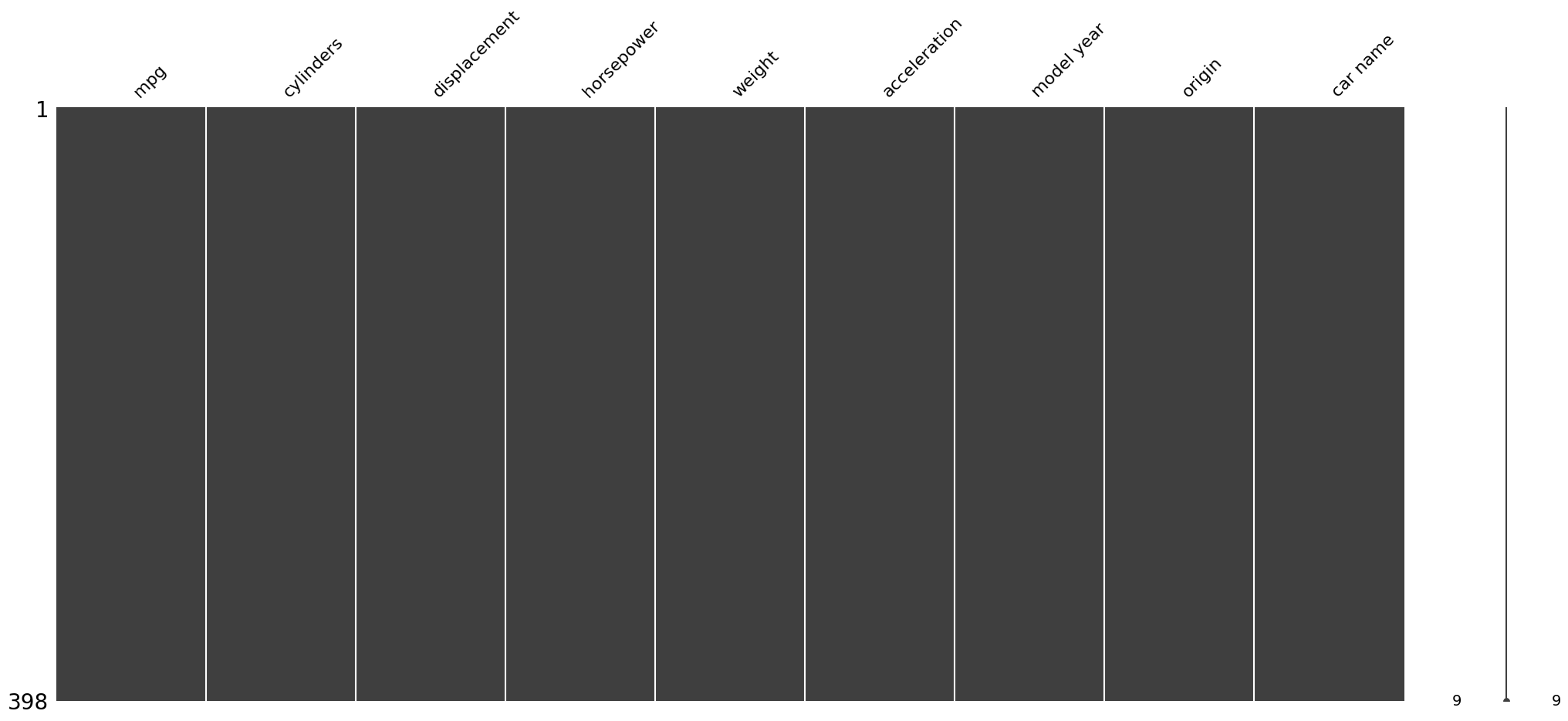
categorical_features = ['car name']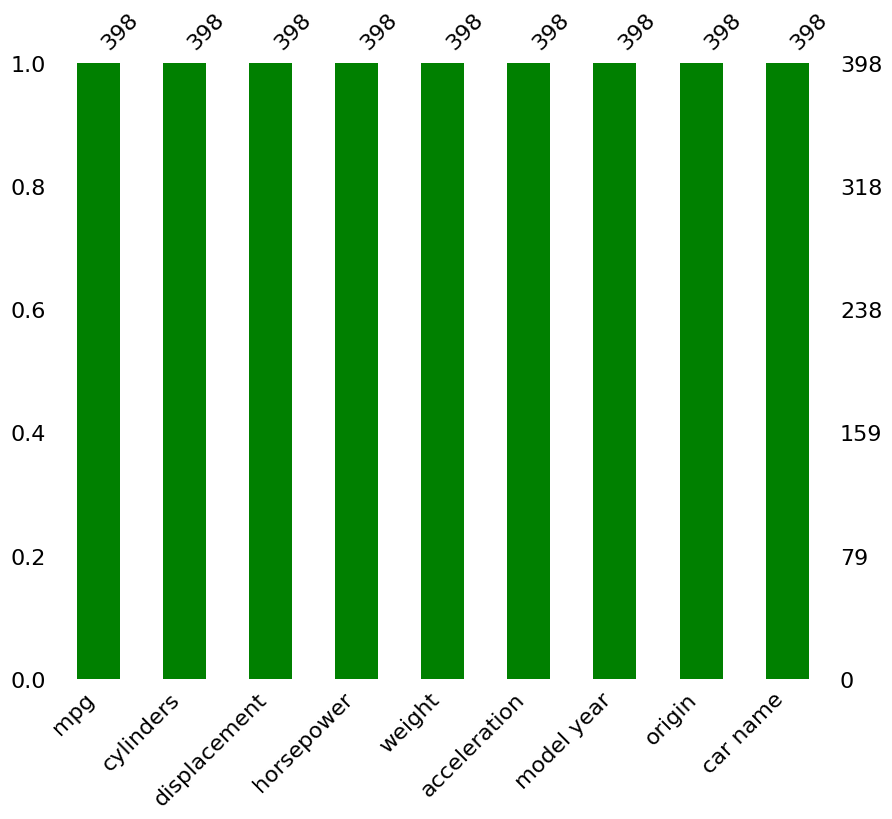
auto.select_dtypes(include=["number"]).skew()mpg 0.457066
cylinders 0.526922
displacement 0.719645
weight 0.531063
acceleration 0.278777
model year 0.011535
origin 0.923776
dtype: float64#Check if there are missing values represented as strings
auto['horsepower'].unique()auto.head()| mpg | cylinders | displacement | horsepower | weight | acceleration | model year | origin | car name | |
|---|---|---|---|---|---|---|---|---|---|
| 0 | 18.0 | 8 | 307.0 | 130 | 3504 | 12.0 | 70 | 1 | chevrolet chevelle malibu |
| 1 | 15.0 | 8 | 350.0 | 165 | 3693 | 11.5 | 70 | 1 | buick skylark 320 |
| 2 | 18.0 | 8 | 318.0 | 150 | 3436 | 11.0 | 70 | 1 | plymouth satellite |
| 3 | 16.0 | 8 | 304.0 | 150 | 3433 | 12.0 | 70 | 1 | amc rebel sst |
| 4 | 17.0 | 8 | 302.0 | 140 | 3449 | 10.5 | 70 | 1 | ford torino |
auto['horsepower'] = pd.to_numeric(auto['horsepower'], errors='coerce')auto.select_dtypes(include=["number"]).skew()mpg 0.457066
cylinders 0.526922
displacement 0.719645
horsepower 1.087326
weight 0.531063
acceleration 0.278777
model year 0.011535
origin 0.923776
dtype: float64auto.select_dtypes(include=["number"]).kurtosis()
#Horsepower is the most strongly right-skewed variable.auto.select_dtypes(include=["number"]).kurtosis()mpg -0.510781
cylinders -1.376662
displacement -0.746597
horsepower 0.696947
weight -0.785529
acceleration 0.419497
model year -1.181232
origin -0.817597
dtype: float64
#Horsepower and acceleration have positive kurtosis, suggesting somewhat heavier tails and a greater presence of outliers.
#first select the numeric values

numeric_features = auto.select_dtypes(include=[np.number])

correlation = correlation = numeric_features.corr()
plt.title('Correlation of Numeric Features',y=1,size=20)

sns.heatmap(correlation,square = True,  vmax=1, vmin=-1, annot=True, fmt='.2f', cbar_kws={'label': 'correlation'}, )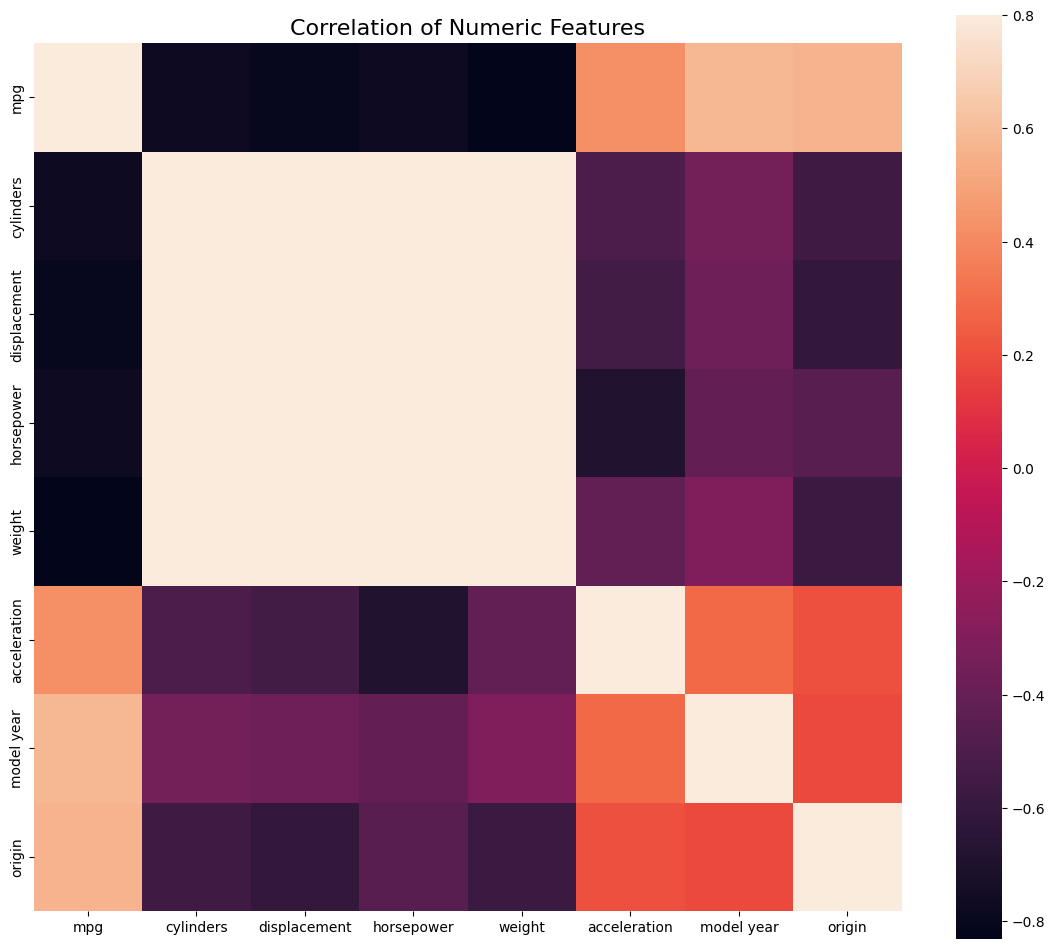
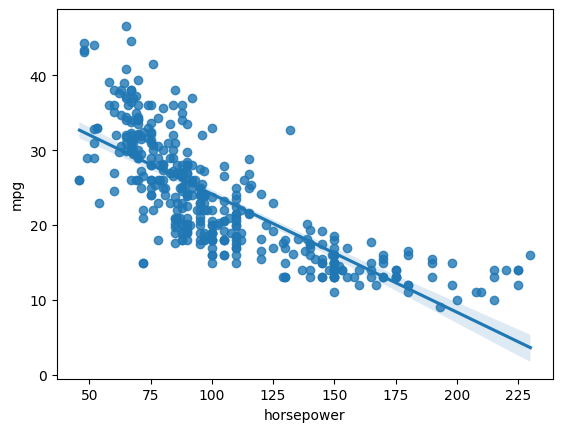
#check correlation between horsepower and mpg
correlation.loc['horsepower', 'mpg']
sns.regplot(x='horsepower',y = 'mpg', data = auto)
fig, axes = plt.subplots(nrows=2, ncols=2, figsize=(15,12))

sns.regplot(x='horsepower',y = 'mpg', data = auto, ax=axes[0,0])
sns.regplot(x='horsepower',y = 'weight', data = auto, ax=axes[0,=1])
sns.regplot(x='horsepower',y = 'acceleration', data = auto, ax=axes[1,0])
sns.regplot(x='acceleration',y = 'weight', data = auto, ax=axes[1,1])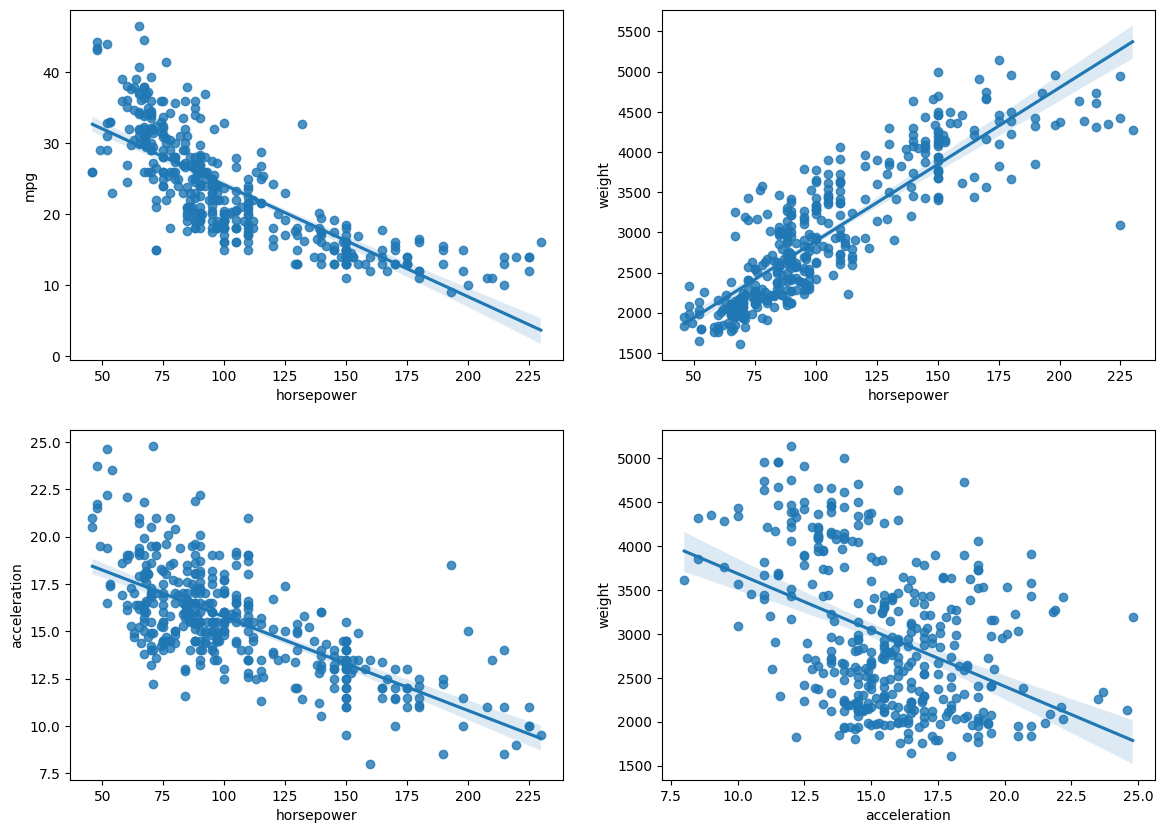
#already numerical, but example coding
for c in categorical_features:

    auto[c] = auto[c].astype('category')

    if auto[c].isnull().any():
        auto[c] = auto[c].cat.add_categories(['MISSING'])
        auto[c] = auto[c].fillna('MISSING')

    # convert categories to numbers
    auto[c] = auto[c].cat.codes
auto.describe()
for c in categorical_features:

    auto[c] = auto[c].astype('category')

    if auto[c].isnull().any():
        auto[c] = auto[c].cat.add_categories(['MISSING'])
        auto[c] = auto[c].fillna('MISSING')

    auto[c] = auto[c].cat.codes